How do I run my online shop with ChatGPT or Claude?
You connect your own ChatGPT or Claude to your CG Shops by CraftGenie shop. Then you say in plain words what should happen, and the assistant does it.
It changes prices and stock, writes descriptions and marks orders as paid. It also tells you what sells. Before a big change, it shows you what it will do.
Why it helps you
Elena makes soy candles in Varna. On Monday morning she has 12 orders from the weekend and little time. She opens ChatGPT on her phone and writes as if to a helper:
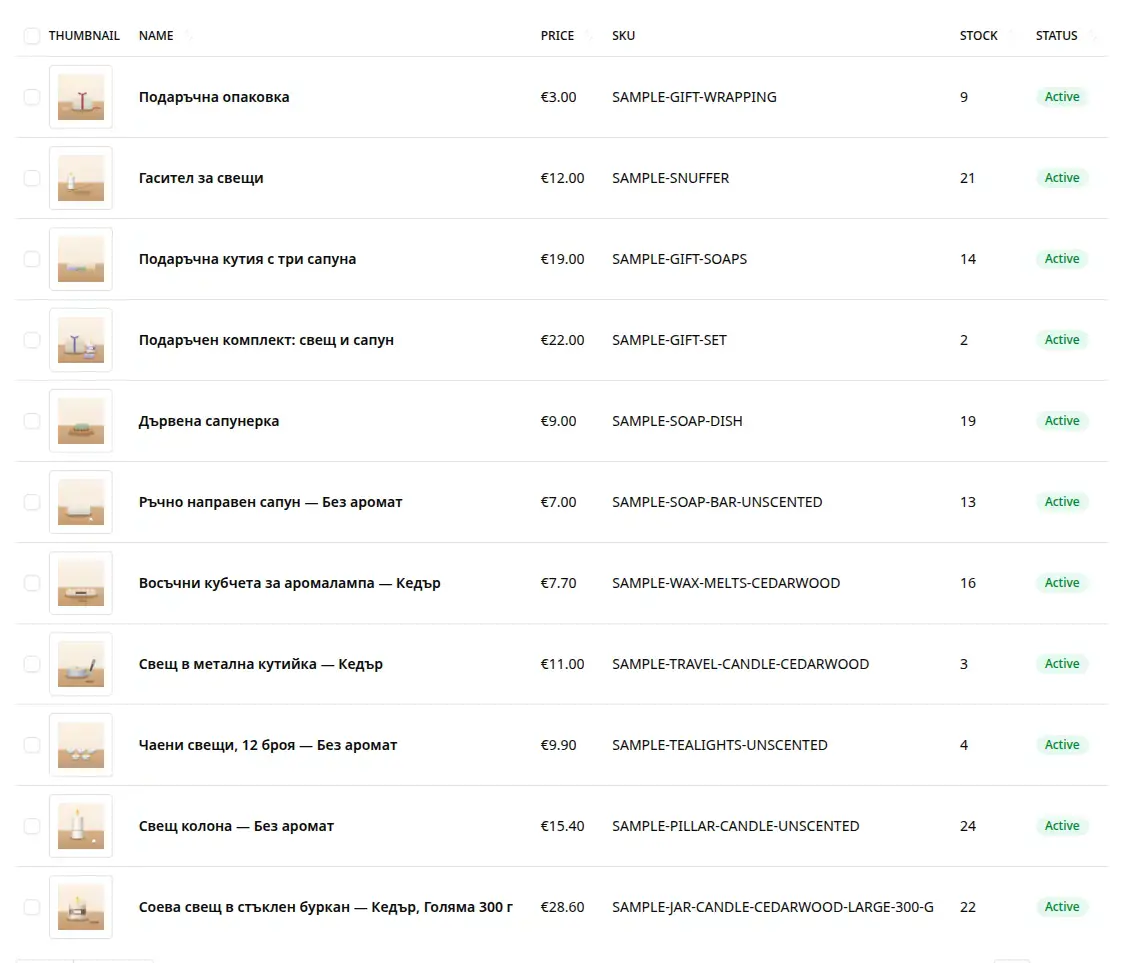
- "Which products are below 5 in stock?" She gets a short list. She knows what to order.
- "Mark #1039 as paid. The courier sent the cash on delivery money." Done.
- "Raise the prices of all candles by 10%." She sees every price before and after. She says yes once.
- "What sold best this week?" She gets the answer and a comparison.
So Elena does not hunt through menus or do maths by hand. She has more time for her candles.
How to start, step by step
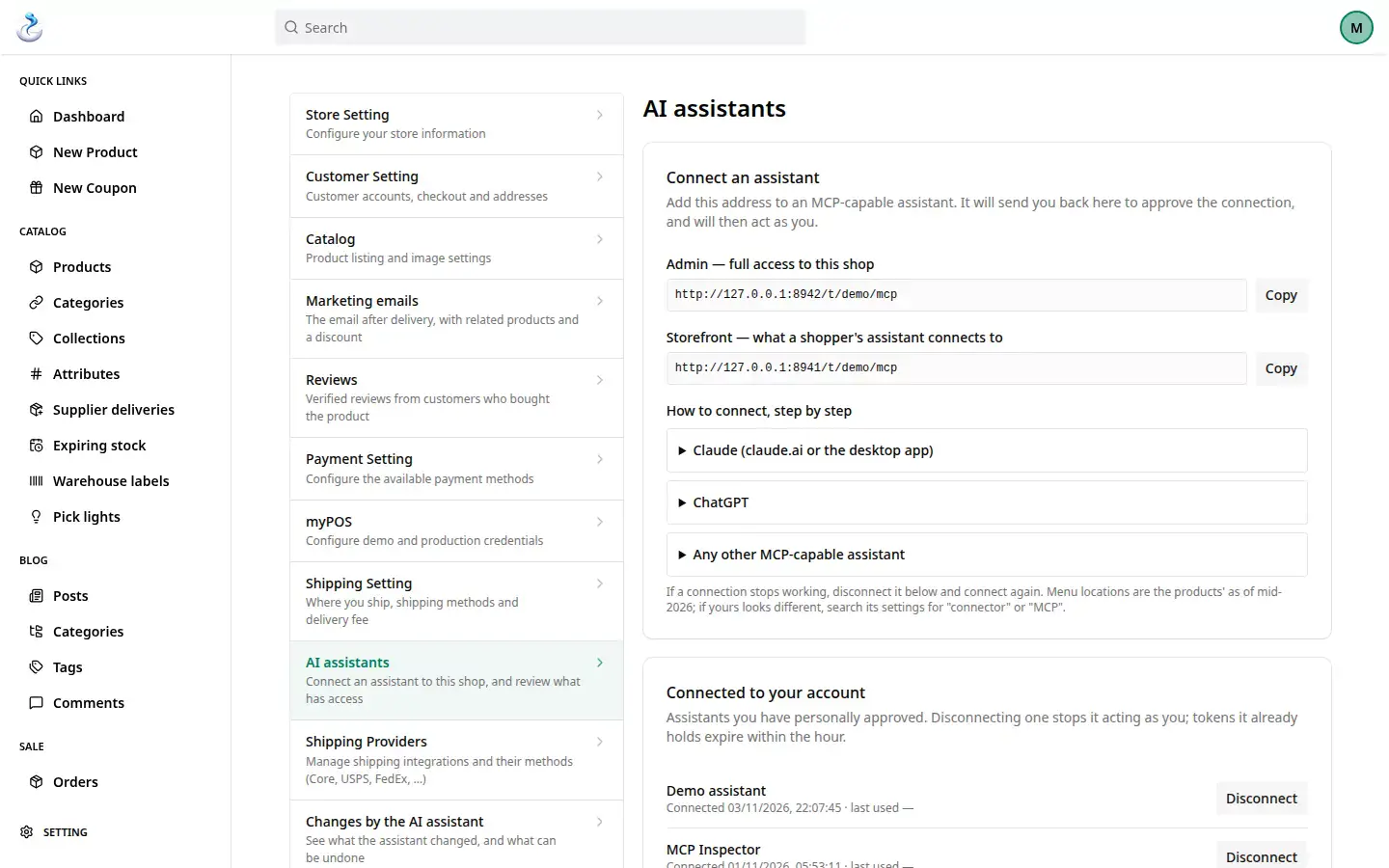
- Copy the address. In your admin, open "Settings", "AI assistants". Click "Copy" next to the admin address.
- Add it to ChatGPT or Claude. In their settings, look for "Connectors". Add a new connector with this address. The "AI assistants" page has short steps for both.
- Approve the access. The app sends you back to your shop. You sign in with your email and password. You click "Approve".
- Ask something easy. For example: "What can you do in my shop?" So you see that everything works.
What you can ask for
- Products. "Add a new candle "Cinnamon" for 14 euro, 10 in stock." The new product stays hidden until you publish it.
- Many prices at once. "Raise the prices of all candles by 10%." One preview and one yes for all of them.
- Stock. "Which products are below 5 in stock?" Or: "Stock of "Lavender" is 25."
- Texts in two languages. "Write a description of "Lavender" in Bulgarian and English. Show it to me first."
- Orders. "Which orders are not shipped yet?" Or: "Mark #1039 as paid."
- Reports. "What sold best this week?" Or: "Which products have no photo or description?"
- Abandoned carts. "Who left products in the cart?" The assistant shows who you can write to. It sends no emails itself.
Everything the assistant can do, with examples: An AI assistant for your online shop.
How the assistant keeps you safe
- It asks before a big change. For example a refund, a delete, or a price that moves by over 20%. Also changes to many products, and settings. It shows what will happen and waits for a yes.
- The yes works once. Only for that change, and only for 5 minutes.
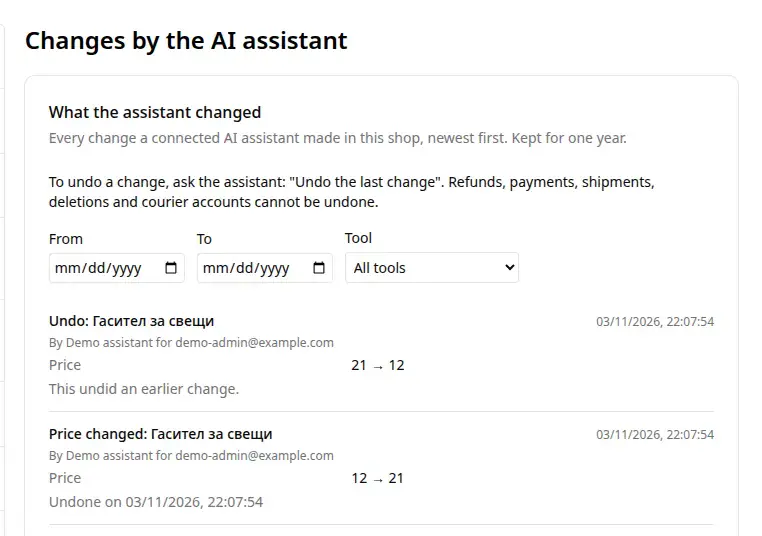
- It records every change. Open "Settings", "Changes by the AI assistant". You see what changed, when, and which assistant did it.
- It puts a change back with one sentence. Write "Put the last change back." The old value comes back.
It is good to know that some things cannot be put back. These are refunds, cancelled orders, payments and shipments. Also new products, deletes and couriers. Before a refund, a cancel, a delete or a courier change, the assistant always asks. A payment, a shipment and a new product are recorded at once. So check the number before you write.
An example from our demo shop. The candle snuffer should have stayed at 12 euro. In a chat with Claude, though, 21 was typed. The request was clear, so Claude changed the price. Then one sentence fixed it: "Put the last change back." The price is 12 euro again. The change list shows both steps.
Good to know
- In ChatGPT, connecting an outside assistant depends on your plan. So check your plan before you start.
- The assistant acts as you, with your access. A new password or the "Disconnect" button ends the access.
- AI can make mistakes. So read the preview before you say yes.
- You can type or dictate from your phone.
- The assistant is included in the shop's price: €144 a year excluding VAT. You use ChatGPT or Claude with your own plan there.
For the technical person
The address on "AI assistants" is an MCP server. MCP is an open standard that AI apps use to connect to other services. Access uses OAuth: you approve it in your shop, with no keys.
Frequently asked questions
Do I need to be good with technology?
No. You copy one address, paste it into ChatGPT or Claude and approve. Then you write in plain words.
Can the assistant change something without my yes?
Small changes happen at once, like the stock of one product. For a big change, it first shows you what will happen.
Can I put a wrong change back?
Yes, for prices, stock, texts and settings. Write "Put the last change back." Payments, shipments, new products and deletes cannot be put back.
I do not want to connect it alone. Can you help?
Yes, gladly. Book 30 minutes with us. We connect the assistant together and try the first sentences.
More questions: Guides.
You can try it today with one question: "Which products are below 5 in stock?"